

Free service contract generator
Put your scope, fees and working terms in one clear document. Build a service agreement, review it together and save a PDF.
- Free, no account
- Stays in your browser
What is a service agreement?
A service agreement records the work and terms between a service provider and a client. Use it to make expectations clear: who does what, what is delivered, how payment works and how changes or an early end are handled. This generator organises the wording you supply; it does not assess whether that wording is valid, complete or suitable under a particular law.
| Document | Main purpose | What to include |
|---|---|---|
| Service agreement | Record the terms for providing a service. | Parties, scope, timing, fees and working terms. |
| Business proposal | Present an approach for a client to consider. | Objectives, suggested work, deliverables and pricing. |
| Quote | Set out a price for defined work. | Services, quantities, prices, taxes and validity period. |
| Invoice | Request payment for goods or services. | Invoice details, charges, tax information and payment instructions. |
From agreed work to organised billing
Send a quote your client accepts online. Turn it into an invoice without typing it again, and let them pay it online.
INV-0143
From quote Q-0087, accepted on Oct 30How to create a service agreement
- 1Identify the parties and workUse the correct legal names and contact details. Describe the services, deliverables, acceptance criteria and schedule in language both parties understand.
- 2Write the commercial termsAdd fees with their currency and tax treatment, payment dates, a change process and termination arrangements. Complete any additional sections relevant to the work.
- 3Review and exportRead the enlarged preview with the other party. Resolve gaps or conflicting terms, obtain legal review where needed, then print or save a PDF for signing outside this tool.
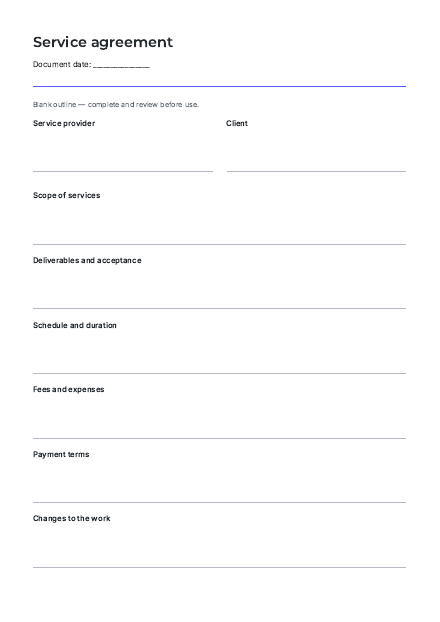
Prefer to start with a blank outline?
Download a printable service agreement outline in this language. It provides headings and writing space, not pre-approved clauses. Complete and review it before use.
Download blank PDF (81 kB)Before you share your agreement
- Make the scope testableName the deliverables, exclusions, dependencies and acceptance process. Avoid broad phrases that leave each party with a different picture of the result.
- Make the price unambiguousState whether the fee is fixed, time-based or recurring. Include the currency, tax treatment, expenses, invoice triggers and payment deadlines. The generator does not calculate them.
- Plan for changes and an early endWrite how revised scope or dates are agreed, who can approve them, and what happens to completed work, unpaid fees and handover if the arrangement ends.
- Discuss rights and responsibilitiesConsider ownership, permissions, confidentiality, data handling, insurance and liability. Optional fields are prompts for a discussion, not a list of everything a contract may need.
- Check the whole documentRead attachments alongside the agreement and resolve contradictions. Confirm who may sign for each party. Keep the agreed version and any later changes together.
Free tools for your business
Service contract generator FAQ
Is the service contract generator free?
Yes. Build, preview and export an agreement without an account or payment. Your draft is stored only in this browser. The optional Skileo footer credit can be removed.
Will this generate a legally valid contract?
The tool cannot determine validity or enforceability. That depends on the wording, parties, circumstances and applicable law. It organises your text into a general service agreement; have it reviewed for your situation before relying on it.
Does it write legal clauses for me?
No. You write the terms, guided by prompts for scope, fees, payment, changes and termination. Further sections cover ownership, confidentiality, liability and disputes. No legal clauses, governing law or tax treatment are chosen automatically.
Does the language select the law for my contract?
No. Language changes the interface, headings and date display. It does not select a country, governing law or court. Your custom wording is preserved when you switch languages and is not automatically translated.
Can both parties sign online here?
No. The document has blank signature areas for the provider and client. Export it and arrange review and signing separately. The tool does not authenticate signers, collect signatures or record acceptance.
Can I edit or download the agreement?
Yes. Edit your terms at any time, enlarge the preview and use Download PDF to open your browser’s print dialog. Choose Save as PDF. You can also download plain text to edit elsewhere, or use the blank PDF outline.
Where is my draft saved?
Only in local storage in this browser on this device. It is not sent to Skileo or synced to an account. On a shared device, use Start over to clear it. Export a copy before clearing browser data; private browsing or blocked storage may prevent saving.
Have a question? Talk to us.
Keep clients, quotes and invoices together
Your agreement is one step. Use Skileo to organise the client relationship and the billing that follows.
No credit card needed ✦ No time limit on the Free plan.
Cookies
We use Google Analytics cookies to see how this site is used, so we can improve it. Cookie policy